文档
用户指南
用好 pastebin.ca 所需的一切。
pastebin.ca 是面向文本和代码的短链接文本服务。先创建文本,选择它应如何被发现,分享合适的链接,并通过过期时间、账户、修订和自动化工具保持控制。
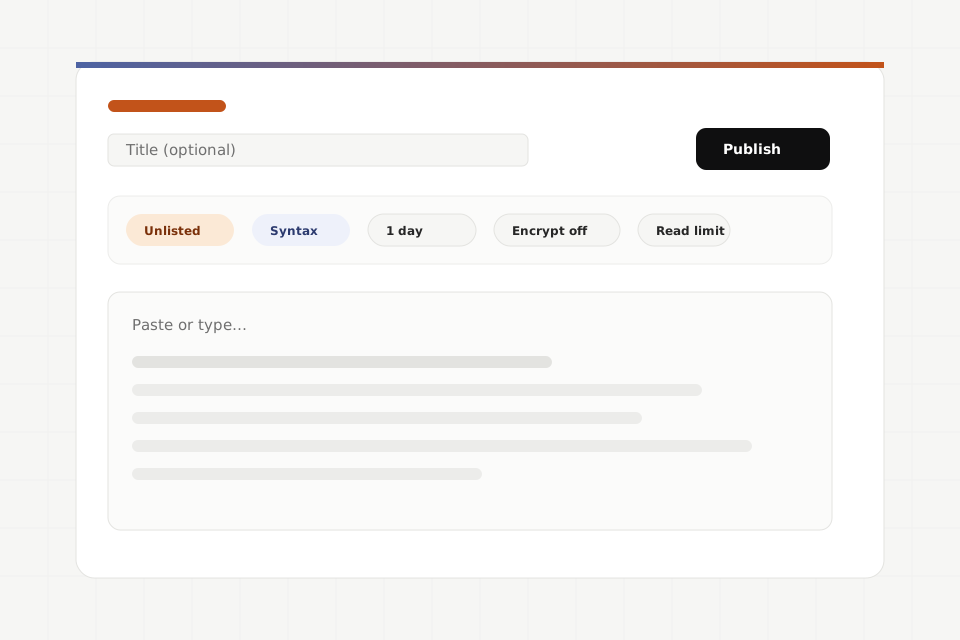
选择路径
你想做什么?
Workflow guides
Practical pastebin.ca workflows
Use these guides as working recipes for logs, private handoffs, release notes, revisions, encryption, CI, raw reads, MCP clients, lifecycle controls, and embeds.
Share terminal output Capture one command, keep stderr, and publish a short-lived paste with syntax and title metadata. Send a private debug bundle Package diagnostic text, encode binary archives as text when needed, and use secret-key or signed URL access rather than the public feed. Publish release notes to the feed Create a public, reusable plaintext paste with title and syntax so it appears in the public feed and profile surfaces. Version configuration revisions Create amendments instead of overwriting mutable state, then use lineage and diff views to review what changed. Deliver encrypted content Use client-side encryption for secret-key URLs or recipient delivery, and fetch ciphertext with the matching signed capability. Set up your encryption mailbox and sync keys Publish a recipient public key so others can seal pastes to your account, then sync the matching private key across your devices through an end-to-end encrypted keybag — no manual key transport. Attach CI artifacts to a run Post selected text artifacts from CI with a scoped API key, then expose paste URLs in job summaries or failure comments. Read and transform raw content Use raw URLs for plaintext streams, the JSON read endpoint for metadata, and MCP body_format when agents need base64-safe reads. Set up an MCP client Connect Claude Desktop, Cursor, Windsurf, or MCP Inspector to the hosted /mcp endpoint with OAuth or an API-key Authorization header. Report, revoke, and delete a paste Use reports for abuse, revocation tokens for anonymous cleanup, and authenticated deletes for owned pastes. Embed a code excerpt Render a plaintext paste or line range in an embeddable HTML surface with theme and line-number controls.
分享决策
可见性和访问方式是两个独立选择
可见性决定文本列出的位置。访问方式决定打开文本前需要什么。分享前请同时选择两者。
| 模式 | 出现位置 | 适用场景 |
|---|---|---|
| 公开动态 | 公开动态、RSS 式发现和公开页面。 | 你希望广泛发现,并接受索引、复制和归档。 |
| 个人资料 | 你的公开个人资料,不一定会在主动态中推广。 | 你想要与账户关联的持久公开作品集或参考列表。 |
| 未列出 | 不会被 pastebin.ca 主动列在任何位置。 | 你只希望拥有完整 URL 的人能找到它。 |
| 模式 | 打开方式 | 适用场景 |
|---|---|---|
| 公开访问 | 任何拥有文本 URL 的人都可在过期或撤销前读取明文。 | 内容可以安全地披露给每个链接持有者。 |
| 签名 URL | URL 的查询字符串中包含一个能力令牌。 | 你想要比单纯文本 ID 更强的 Bearer 链接。 |
| 端到端加密 | 浏览器使用 URL 片段密钥或收件人密钥解密密文。 | 你希望服务存储密文而不是明文。 |
阅读
使用阅读控件查看代码和文本
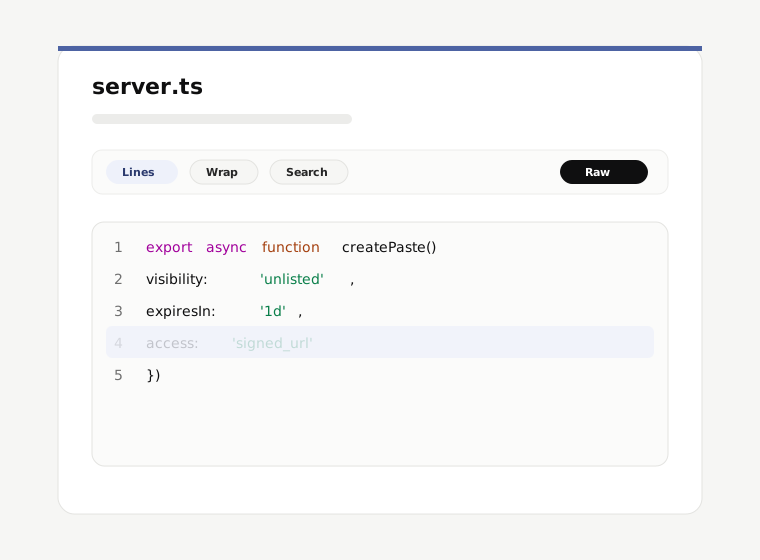
文本页面针对阅读和分享精确引用进行了优化。工具栏会将查看偏好保存在你的浏览器本地。
- 行号和行链接
- 需要指向具体段落时,可以点击或复制行引用。
- 换行和字体控件
- 切换自动换行、字体大小、制表符宽度、条纹和等宽字体偏好,让阅读更舒适。
- 搜索和复制
- 在长文本中查找内容,并在可用时复制单行或整个文本。
- 原始、JSON、下载和嵌入
- 需要纯文本输出、元数据、下载或 iframe 安全嵌入时,使用其他表示形式。
谱系
修订、diff、分支和行链接
已发布的文本内容不会原地改变。内容演进时,pastebin.ca 会保留旧 URL 的意义,并创建新的可链接历史。
- 现有文本 URL 会继续指向当时发布的内容。
- 账户所有者和自动化工具可以通过在同一谱系中创建新版本来修订文本。
- 需要审查变更时,可以用 unified diff 比较明文版本。
- 行锚点让代码审查和支持讨论更精确。
- 分支会创建新的文本 URL,同时保留对源文本的归属。
身份
账户、passkey 和自动化令牌
快速匿名发布文本不需要账户。需要持久文本历史、撤销控制、收件人加密、已连接应用或 API 令牌时,请登录。
集成
CLI、API 和 MCP 入口
选择适合你工作流的界面:浏览器用于交互式分享,CLI 用于终端,REST 用于脚本,MCP 用于支持代理的客户端。
信任和安全
隐私、滥用和安全
把公开文本视为公开内容,把未列出链接视为 Bearer 密钥;除非理解所选模式,否则不要发布凭据或敏感数据。